


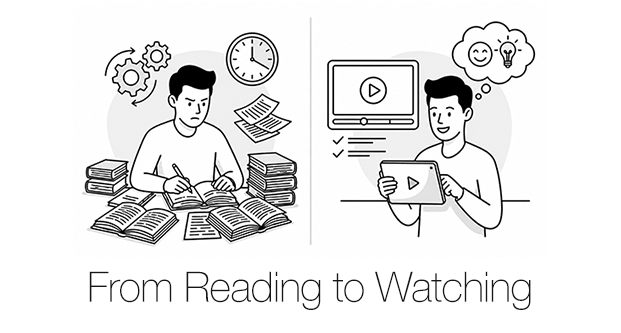

Product guidance is moving from “read the manual” to “watch and do.” In technical documentation, rich media has become a mainstream expectation—especially for setup, assembly, and troubleshooting, where users want to follow a clear sequence and succeed quickly. A 2025 technical documentation trends report from Fluid Topics explicitly calls out multimedia documentation as overtaking text-only documentation.
This shift is also driven by how younger users search for answers. Research and market analyses show Gen Z increasingly uses social platforms as discovery and search channels, including TikTok and YouTube.
Major platforms reinforce the same pattern: “quick start” experiences are designed to be followable. Apple’s official Quick Start support flows are paired with step-by-step guidance and video. Google’s Pixel help environment similarly combines onboarding guides with YouTube tips and tutorials.
What “Watching” Changes for Manufacturers
Video manuals are not just a different format. They change the economics of product support and the user’s success rate.
- Faster, more intuitive UX
A short video can communicate motion, timing, and sequence better than pages of text—especially for setup, assembly, and UI-driven tasks. - Visual language reduces misunderstandings
In global operations, showing the exact action (tap, connect, align, tighten) lowers ambiguity and reduces rework caused by misinterpretation. - Higher self-service adoption, lower support pressure
Well-designed self-service content reduces repetitive inquiries and increases customer confidence—an approach commonly framed as “ticket deflection” in support operations. - Measurement becomes practical
Unlike PDFs, video can be optimized using behavioral signals (views, drop-off points, search entry terms, completion)—which turns “documentation” into an improvable operational asset.
The Risk: Video Cannot Carry the Whole Truth
Video is powerful, but structurally limited. For manufacturers, a video-first approach must be paired with a full manual (web/PDF/print). The reason is simple: the media have different jobs.
- Do vs. Reference
Video is best for immediate execution. Full documentation is the system of record for product rules, constraints, and completeness. - Safety and liability are easier to prove with controlled documentation
Warnings, legal notices, warranty conditions, and version history require traceability. Text-based manuals remain the most defensible format for that. - Findability favors text
Error codes, specs, compatibility, and troubleshooting trees must be searchable and scannable. Video is slower to navigate for pinpoint lookup. - Variants explode video scope
Options, regional differences, and derivative models quickly multiply video workload. Modular documentation scales better. - Accessibility and field constraints still matter
Low-bandwidth environments, factory floors, and accessibility requirements (screen readers, structured alt-text, consistent text equivalents) require strong text assets.
A Practical Division of Roles
Video manual (task-first)
- Setup / installation / pairing
- Top 5–10 frequently used features
- Top support issues (high-volume inquiries)
- Critical safety do/don’t behaviors (the actions that prevent harm)
Full manual (completeness-first)
- Full safety content (detailed warnings, conditions, residual risks)
- Specs, ratings, environmental conditions
- Full feature coverage, exceptions, compatibility constraints
- Maintenance/inspection standards, warranty/legal notices
- Change history, parts lists, error code tables, reference charts
The Core Operating Process That Makes Video Manuals Sustainable
Most video manual programs fail for one reason: they are treated as one-off content production. The scalable approach is to run video as a repeatable documentation operation.
Use these five operating principles:
- Prioritize where video has the highest ROI
Start from onboarding tasks and top support drivers, not from “everything the product can do.” - Keep one source of truth
Scripts should be derived from existing documentation and support knowledge (manuals, FAQs, internal resolution notes). This protects accuracy and makes updates faster. - Design as short modules, not long episodes
One video = one task. Modular clips are easier to update, localize, and reuse across channels (app help, web help, support macros, YouTube). - Standardize to reduce cost
Fix templates for captions, callouts, warnings, intro/outro, filenames, versioning, and UI highlight rules. Consistency is a cost-control tool. - Measure and improve continuously
Use drop-off points and search entry behavior to refine scripts, reorder steps, and decide what to produce next. Video becomes a closed-loop system, not a publishing event.
Closing
Video manuals help customers act. Full documentation protects product trust. When these two assets are designed as a complementary system, manufacturers improve user success, reduce support burden, and lower operational risk.
If you need a practical framework for your products, Hansem Global can analyze your existing documentation and support assets and propose an efficient video transition roadmap—scoped by product, channel, and language strategy.
For a real example of how this works in practice, see our case study on LG U+’s self-service video manual program, where the focus was building a repeatable production and QA process—not just producing individual videos.