


How do you turn one interactive training course into a consistent learning experience for employees, product sales teams, and service technicians worldwide? When a course is built in Articulate Storyline 360, translating the words is only the beginning. Screen layouts, buttons, triggers, narration, captions, and learner feedback all need to work in each target language.
For global manufacturers rolling out product training or sales enablement programs, reliable eLearning localization matters as much as linguistic accuracy. Drawing on Hansem Global’s multilingual Storyline production experience, this article explains where localization issues arise and what teams should check before launch.
Interactive Storyline courses need functional localization QA
Storyline 360 supports interactive learning through slides, layers, triggers, variables, and timelines. These features help learners practice decisions, such as selecting a troubleshooting step or answering a product knowledge question. They also create more elements that must be tested after translation.
A translated button may be longer than its English equivalent. Even after its text box is resized, the learner must still be able to select it, see the correct feedback layer, complete the interaction, and advance to the next step. Functional quality assurance (QA) should therefore accompany linguistic review.
Project example 1: English and Hungarian course screens
In this project, the team compared the English master course with its Hungarian version. Beyond adjusting labels, the reviewers examined slide triggers and timelines to verify that the intended learning sequence remained intact.
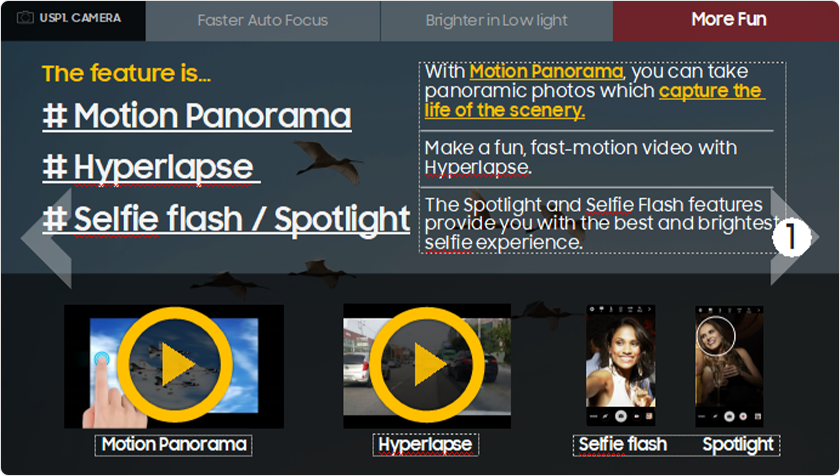
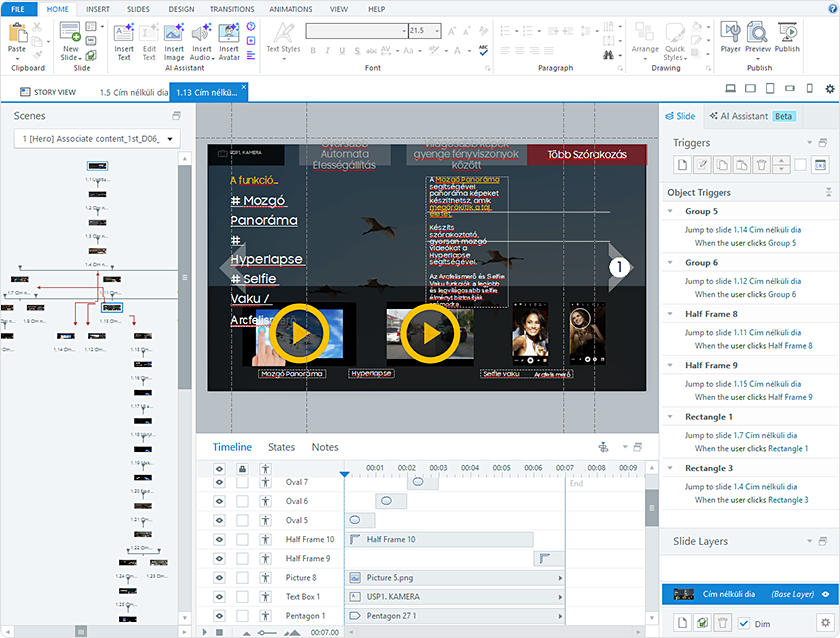
In earlier Storyline 2 projects, Hansem Global checked layers, animations, timelines, and triggers against the source course individually. The lesson remains relevant for interactive Storyline 360 training: correct text does not automatically mean a working course.
Text expansion and typography affect the learner experience
eLearning translation often changes the length of onscreen text. This is especially visible in buttons, speech bubbles, navigation labels, quiz options, and captions. Language-specific fonts, line breaks, and spacing must be checked for readability and overlap rather than simply imported and accepted.
Project example 2: Automating repetitive formatting
In older Storyline 2 and early Storyline 360 workflows, Hansem Global used exported Word translation files and macros to apply language-specific fonts, sizes, and selected formatting rules in batches. This reduced repetitive manual work, but it could not resolve every screen-layout issue or validate dynamic behavior.
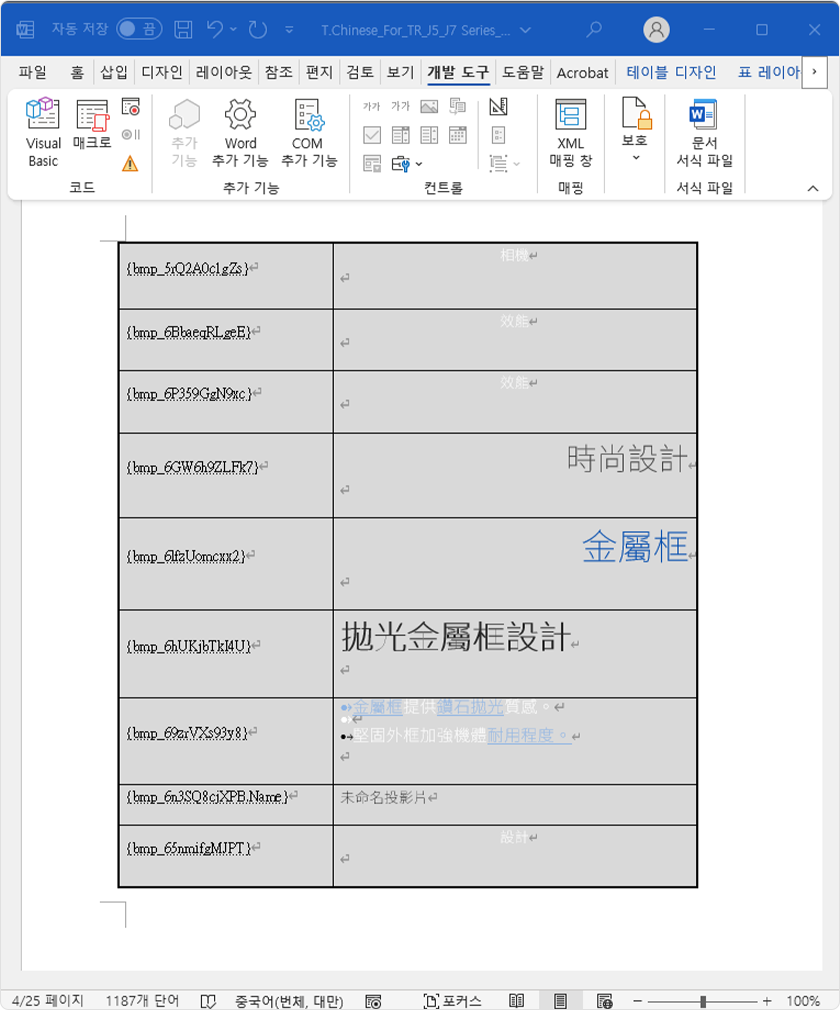
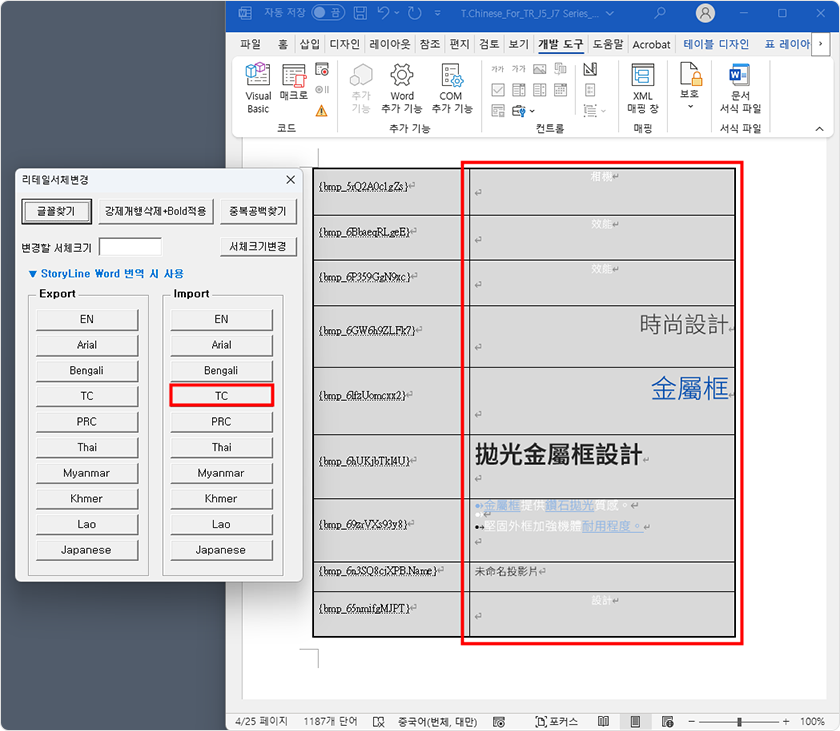
These screenshots illustrate the historical Word-file process rather than the current Storyline 360 interface. Today, Articulate Localization provides integrated multilingual workflows and in-context validation. Teams should choose the available workflow for their subscription and course structure, then independently verify the published learner experience.
Multilingual narration must stay in sync with the screen
Localized voice-over rarely has exactly the same duration as the source recording. If the screen changes before the speaker finishes, or stays static long after a narration segment ends, learners can lose the connection between the explanation and the visual demonstration.
Project example 3: Aligning narration and slide timing
The following before-and-after screenshots show a timing adjustment. The objective is not to make every language match the English duration, but to keep speech, movement, captions, and slide transitions synchronized.


Hansem Global’s multilingual Storyline teams replaced language-specific images, video, and audio, edited silence where appropriate, and involved native-language reviewers or trained language specialists in timing checks. Pronunciation and natural wording matter, but so do subtitle readability and the relationship between spoken instructions and onscreen actions.
Project example 4: Aligning multiple narration clips
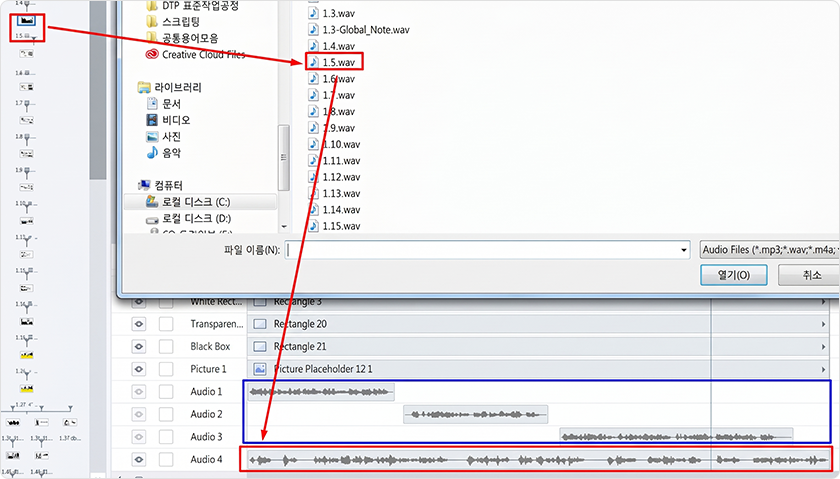
A source module may contain three separate narration clips while the localized version is delivered as one continuous recording. Importing the file alone does not reproduce the original timing. A reviewer who understands the target language must first identify which onscreen action each statement belongs to, then help the editor adjust the timeline.
Project example 5: Adjusting scene timing for longer narration
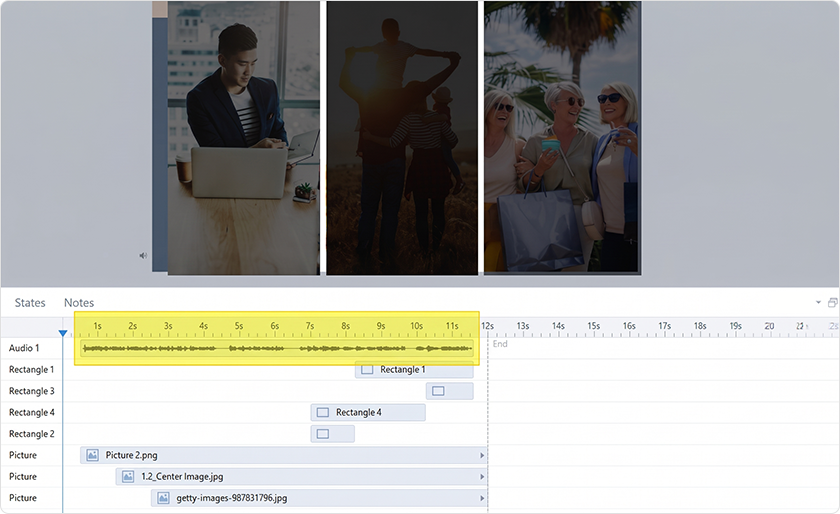
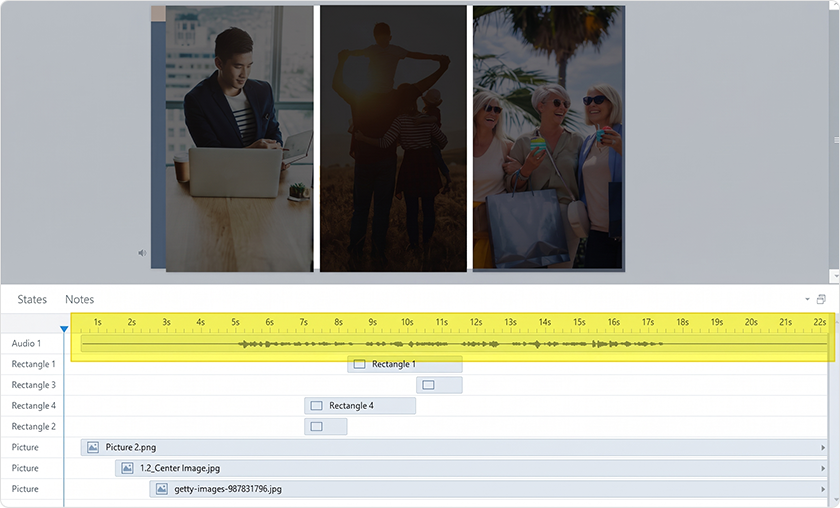
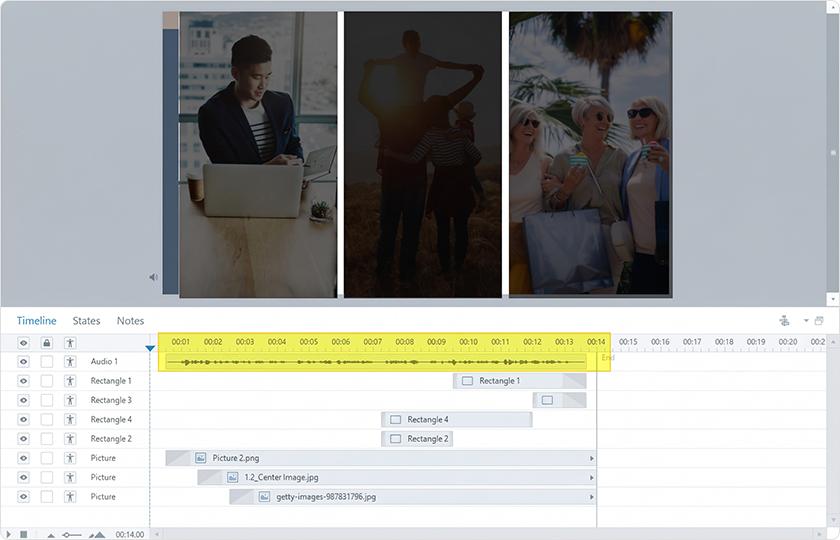
When translated narration runs longer than the source, trimming silence alone may not solve the problem. Editors need to check the start and end of the scene together with the position of each audio segment so that speech and image transitions stay connected. The screenshots below compare the same scene before and after the audio segment was adjusted.
Use automation for repeatable tasks and human QA for judgment
For multilingual eLearning projects with many courses and languages, automation can help standardize exports, terminology, formatting, and repetitive checks. However, every Storyline interaction is not governed by a single layout rule. Branching scenarios, layered feedback, narration edits, and visual timing can still require manual inspection.
A practical production plan separates tasks that can be processed consistently from those requiring a reviewer’s judgment. It also defines who signs off on translation quality, functional behavior, media synchronization, and the final published course.
What global training teams can learn from multi-language rollouts
Hansem Global has extensive hands-on experience delivering large-scale, multilingual sales training programs built in Articulate Storyline for a leading global consumer electronics manufacturer.
Courses covered different levels of product knowledge, from understanding new features to developing deeper sales expertise.
At the beginning, Storyline’s flexible editing environment led to uneven results depending on editor experience and to occasional omissions. Experienced editors responded by preparing production guidelines, training the broader team, standardizing repeatable formatting, and strengthening course-level checks.
The important outcome was a repeatable multilingual production process. Teams planning a new product launch need more than translation capacity: they need consistent standards, trained editors, defined review responsibilities, and release-ready course testing across markets.
Plan for localization before building the first course
The most efficient time to address multilingual requirements is during instructional design. If your organization expects to deploy Storyline 360 product training in several regions, build in room for text expansion, identify media that must be replaced, define interaction tests, and decide how future source-course updates will reach translated versions.
Current Articulate Localization capabilities can streamline AI translation, language validation, and multilingual publishing. Those capabilities are useful, but they do not eliminate the need to evaluate course-specific visuals, narration, terminology, and interaction behavior. Product training localization succeeds when content design, language review, course editing, and functional QA operate as one workflow.
Hansem Global develops technical training content and supports multilingual eLearning localization for international manufacturers, including product sales training and field service training. Teams planning a global rollout should review not only target languages and launch dates, but also course maintenance and update requirements.