


Where does the user manual for an about-to-launch electronic product actually get written? At Hansem Global, it’s written in a secure workroom with the internet completely shut off — what we call the clean room. In here, even something a single search would normally solve has to be handled a different way. Here’s a day in the life of a technical writer who’s been commuting into the clean room for nine years — hour by hour.
AM 08:40 | Clocking In, and the Walk to the Clean Room
I get in, finish setting up at my desk outside the clean room, and start getting ready to go in. The most important part of that ritual: checking that the security stickers are still firmly stuck over my phone’s cameras. Once they’re on, I usually leave them on — even after hours, except in special cases. But what’s the first rule of the clean room? Security. And the second rule? Security. So even when it feels like a hassle, it’s the one step you never skip.
“One time I forgot the sticker was even there, opened my camera, and panicked thinking my phone was broken. Another time I’d left one on so long that when I finally peeled it off, it took my screen protector with it. Looking back, they’re kind of funny little stories — but in the moment? Definitely flustering.”
Today the stickers are looking worn — time for a fresh set. I grab new ones from my team lead and cover all four camera lenses again, front and back. Then I pick up my badge and walk the few steps to the clean room, just down the hall on the same floor.
AM 08:50 | Inside the Clean Room: The Second Setup
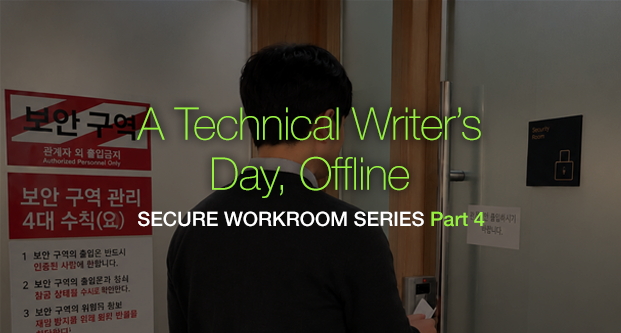
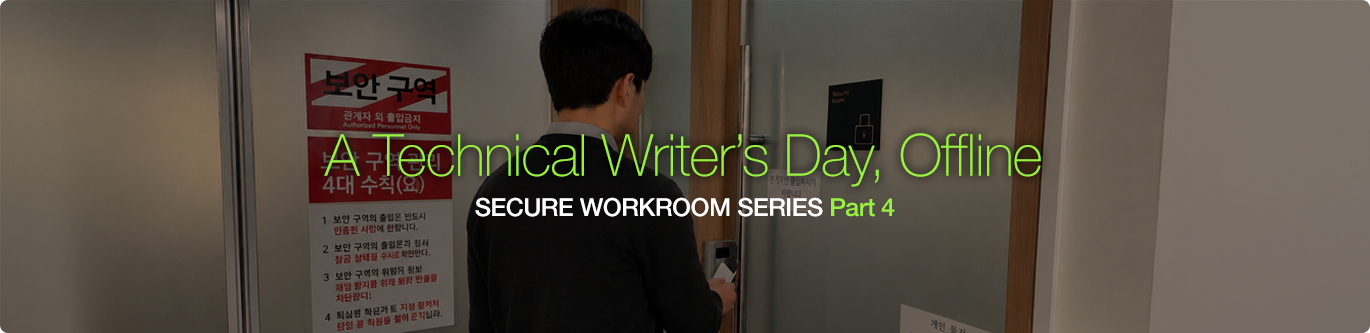
I tag my badge against the reader, the lock releases with a click, and I’m finally inside. First thing: power on the PC at the PM’s station. Whoever gets in first turns it on — team lead or not. That’s the unwritten rule of the clean room.
That PC matters more than any other in the room. Pulling in software and files, receiving client feedback, submitting data, using a USB port — all of it happens only there. And today, with my team lead out, getting onto the client’s site falls to me too.
You log in with the ID and password, and a verification code goes to my team lead’s personal phone. You can’t get in without it — so I had to text him first thing in the morning. “Hey, could I grab that code…?” He’d told me yesterday on his way out to reach him anytime, but bothering someone on their day off never quite sits right. Luckily he checked right away and sent it over. Logged in, fast.
Only then do I head to my own station, boot up my PC, take out the key to the sample cabinet, unlock it, pull the samples I need, sit down, and start getting ready for the day’s work.
AM 09:00 | Call Me a Stickler — Security Comes First Anyway
While I’m getting set up, I hear the door open from outside. Someone else coming in. The second I clock their face — before I’ve even said good morning — it’s already out of my mouth: “Hey, you got your sticker on?” They say “Yep!” and hold up the phone, and only then do I relax. They’re not even a rookie — three years in already — and here I am nagging them like a broken record, half-worried I’m coming across as the office stickler. But you know what? Let them call me a stickler. Security matters more than my reputation.
AM 09:05 | Working Completely Cut Off From the Outside Network
Writing a manual with no internet is no small thing. Right now I’m working on the user manual for an electronic product that’s about to launch. Whose product, which category — all confidential.
“Only people who’ve signed the security pledge know this. I can’t tell family, can’t tell friends — can’t even tell coworkers at the same company.”
Every now and then someone won’t take the hint and keeps digging. When that happens, I dodge it with a line that’s half joke, half truth: “Tell you that and I could end up doing time.”
In a normal office you’d run a search dozens of times an hour. In the clean room, you simply can’t. Is this the right term for this part? Does this safety warning match the industry standard? How was it labeled on the previous model? Out there, one search settles all of it. In here, the client’s past manuals and our own in-house glossaries and guidelines — built up on our internal server — stand in for that search box. They’re the quiet assets that let us work without any outside network.
When our own materials can’t answer it, we ask the client. I gather up my questions, send them over, and wait. If the answer doesn’t quite make sense, or isn’t what I need, I ask again — as many times as it takes to get something clear. It’s tedious, but it’s the fastest, most accurate way.
AM 09:30 | Need More Files? Back Outside You Go
Usually I gather everything I’ll need — latest models, guides, notices, standard phrasing — from the outside server before I really get going, and push it all into the clean room at once through the client’s site. But sometimes a file gets updated mid-task, or I need something extra, and I have to step back out and log in again. The catch: that client site needs a verification code sent to my phone — and I have a real habit of leaving the phone behind in the clean room.
“So I have to trek all the way back in just to grab my phone — honestly, such a pain. I’ve been living this double life, inside the clean room and out, for years now, and I’m still annoyed at myself for slipping up the same way. Then again, I sit way too much every day, so maybe being forced to get up and move like this is actually good for my health.”
AM 10:00 | Knocking Out Every Outside Errand on the Coffee Run
Every time you go in or out of the clean room, there’s no avoiding that loud click of the door. So I try to batch everything I need to do outside into a single trip — and coffee time is the perfect window.
Work hard enough and right around this hour, a cup of coffee always starts calling. While I’m out, I take care of the restroom and anything else, then head back in.
“Sometimes I genuinely need to go in and out a lot, but I worry all that traffic is bothering everyone else. I’ll admit it — there are days I wanted to hit the restroom three times and held it to two.”
And since I’m already up, I swing by the PM PC, refresh the site that’s logged in there, and check for new mail. After enough years in the clean room, bundling a pile of little tasks into one trip just becomes second nature.
PM 12:00 | Lunch Break — But Security Doesn’t Take One
After quitting time, lunch is the thing every office worker looks forward to most. But stepping away means another routine. Any samples on the desk get covered with something, and the monitor goes dark before I leave.
PM 01:00 | Back at My Desk, and the PC’s Acting Up Again
Gone for a single hour, and I come back to find all my PDF annotations vanished again. The fix: close every open PDF and reopen them. The first time it happened, I freaked out — did I just lose all my markup? Now my reaction is more of a shrug: “There it goes again. Guess I’m reopening everything.” And I close and reopen the files without a second thought.
To make things worse, a subscription-expired warning sometimes gets in the way. I need to open Illustrator to check an image, but the warning keeps popping up — I clicked “cancel” a few dozen times before I barely got through it. The client can’t come on-site until two days from now, so until then there’s nothing to do but ride it out.
When that expiration window shows up, we ask the client to visit and — under their representative’s supervision — briefly open the network to log back in. That’s how we clear it.
PM 03:00 | Time for a Sugar Fix — Don’t Forget the Badge
Official company break time. I get up, step out, go to head back in and — ugh! I left my badge inside the clean room again. If I wore it on a lanyard this wouldn’t happen, but a lanyard all day makes my neck sore, so I carry it in my hand — and every so often, this is the result. Now my only option is to knock and ask whoever’s inside for help.
Feeling a little sheepish, I knock — tap, tap — and wait. A moment later the door clicks open, I thank them, walk straight to my desk, and sure enough: there’s my badge, sitting right where I left it.
PM 04:00 | Even Work Requests Follow Clean-Room Rules
For editing or image requests, outside the clean room you’d just email the details back and forth. Inside, you log the file path in a separate request ledger — an Excel file — then step back out to actually send the request email.
QA works the same way. Outside, the QA reviewers just find and pull whatever reference materials they need. In the clean room, they have to ask the technical writer to send the outside files in — so the writer sends them, receives them again inside, and uploads them to the right path. Extra steps every time. The QA folks don’t have client-site accounts, so there’s no way around it, but it is a hassle each round.
Delivery QA is the same — once the data’s uploaded, you still have to flag it to the team lead. “Hey, I’ve posted the first Korean/English draft for the [project] — could you pass it to the client?” Which is why, working in the clean room, you end up tracking down your team lead several times a day.
PM 05:30 | Leaving the Clean Room: Clocking Out, Twice
There’s one last routine before heading home: every sample on the desk goes back into the cabinet, and the cabinet gets locked!
Power down the computer, double-check it’s really off, switch off the power strip, and scan the desk one more time for any sample left behind. Before I leave the secure workroom, I always take one more look around. Nine years, same routine. It’s just part of the job now.
Then I open the clean-room door again and step out to the space where I do my second round of clocking out. I check for any mail I couldn’t get to while I was inside, wrap things up, shut down the computer, push in my chair, kill the power strip — and only then am I actually done for the day.
Look back over the day and every inconvenience — the stickers, the verification codes, the sample cabinet, the PDFs I keep closing and reopening — is no accident. Each one is a procedure designed so that not a single line of a client’s unreleased information slips out. The friction of a room with no internet is exactly why clients can hand us their work and rest easy.
In a room with no internet, the manual still gets finished. Same routine, nine years running, every single day.
The Security Checkpoints That Fill a Day
- Clocking in: confirm security stickers cover all four phone cameras, front and back
- Entry: whoever’s in first powers up the PM PC; tag your badge on the reader
- Working: no outside internet — in-house glossaries, guidelines, and the client’s past manuals replace the search box; when stuck, ask the client directly
- Bringing files in: materials reach the clean room only through the client site, which requires a phone verification code
- Lunch & breaks: cover the samples, switch off the monitor, and always carry your badge and phone
- Heading home: return every sample to the locked cabinet, power down the PC and power strip, and scan the desk one more time
Frequently Asked Questions
Q. What is a clean room (secure workroom)?
A. A secured workspace cut off from the outside internet, run under strict procedures — badge tagging, sealed phone cameras, locked sample cabinets, and more. It’s where manuals that demand confidentiality, such as those for unreleased products, are produced.
Q. How do you write a manual with no internet?
A. Instead of outside searches, writers rely on in-house glossaries, work guidelines, and the client’s past manuals stored on an internal server. When those aren’t enough, they ask the client directly for a precise answer.
Q. What security procedures does a technical writer follow in the clean room?
A. Every day: stickers over phone cameras, badge tagging, locking the sample cabinet, switching off the monitor when stepping away, and returning all samples before leaving. Files can only be brought in through the client site’s phone-based verification.
📌 SERIES GUIDE
This article is Part 4 of Hansem Global’s “Secure Workroom Series.” The series continues as follows.
Part 1 · Why Some Manuals Are Made Behind Locked Doors
Part 2 · What a Secure Work Room Is Made Of (Environment and Infrastructure)
Part 3 · A Lock Doesn’t Lock Itself (Security Awareness, the Real Infrastructure)
Part 4 · Writing Manuals in a Room With No Internet (A Day in the Life of a Technical Writer) (current article)
Part 5 · Managing 50 Languages Inside a Locked Room (A Day in the Life of a Localization PM)
Part 6 · Making Marketing Content in a Sealed Room With No Internet (A Day in the Life of a Retail Graphic Designer)
Part 7 · 14 Years, Zero Breaches: Why It Was Possible.