


Resources
White papers, case studies, guides, and checklists spanning technical documentation, translation, and localization. Practical knowledge built on 35+ years of helping global manufacturers communicate across languages.
Terminology Management for Equipment Manuals: A Practical Guide
These decisions matter more in some product categories than others. In consumer products — fans, refrigerators, phones — a slightly inconsistent term rarely affects user safety. Industrial equipment, construction machinery, robotics, and medical devices are different.
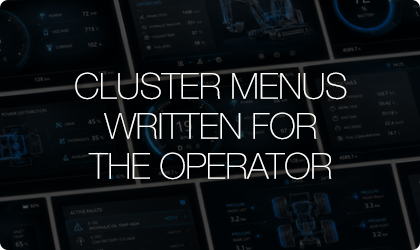
Built for Reuse: Redesigning the Cluster Section of an Industrial Equipment Manual
An equipment manufacturer's operator manual carried 55 pages on the instrument cluster. In the redesigned North American edition, the same subject runs 22 pages. Replacing screenshot sequences with lookup tables and text procedures cut the length by more than half while increasing what the operator actually receives. The larger gain is that this technical content can now be reused across model variants, language editions, and web channels.

Developing a Standard High-Voltage Battery Replacement Procedure
As industrial equipment becomes more automated and electrified, manufacturers need service procedures that technicians can follow safely and consistently. A missing isolation step, an unclear lifting condition, or an incomplete acceptance criterion can lead to personal injury, costly equipment damage, increased warranty risk, and inconsistent service results across dealer and field networks. Hansem Global turned fragmented engineering and field information into a controlled, repeatable procedure aligned with recognized international principles for information development and safety communication. The project shows how specialized technical writing can close documentation gaps without placing the full development burden on engineering teams that are already stretched thin.
Accessibility Compliance for Multilingual Manuals
Accessibility is now a market-entry requirement for multilingual manuals. Since automated checks catch only 30–40% of defects, this guide sets out the accessibility items to check against EAA, ADA, WCAG, PDF/UA, and EN 18339.
Multilingual Manual Accessibility Checklist
A 19-point checklist for self-checking multilingual manual accessibility against EAA, ADA, WCAG, PDF/UA, and EN 18339 before release — run in two stages: self-check and independent reviewer check.
UI Matching Checklist
Use this checklist to self-verify that a multilingual manual matches the shipping product: its UI, its physical buttons and labels, its on-screen messages, its part numbers, and its firmware version. It applies once manual translation, technical document translation, and user manual translation are complete.
Regulatory and Standards Marking Checklist
Use this checklist to self-verify the regulatory and standards marking of a multilingual manual before release. It applies once manual translation, technical document translation, and user manual translation are complete.
DTP and Layout Integrity Checklist
Use this checklist to self-verify multilingual manual layout before release. It applies to output from manual translation, technical document translation, and user manual translation alike. It covers page flow, text handling, typography, visual elements, and multilingual behavior such as RTL mirroring and CJK line breaking.